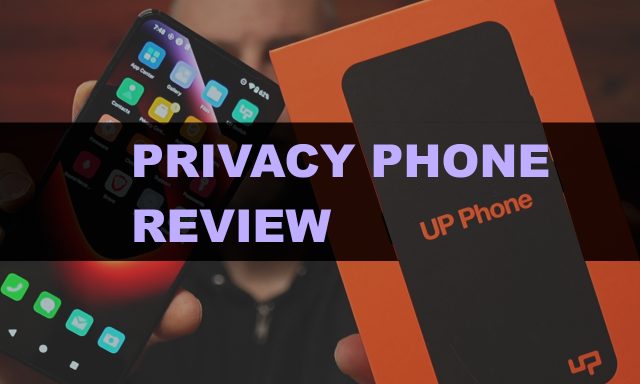
The Unplugged UP Phone Review.
Is this $999 privacy smartphone worth it , or is there a smarter way to protect your digital life?
Back in October 2025, I started taking my online privacy more seriously. I wanted a phone that would give me real, meaningful protection , not just promises. After a lot of research, I landed on the UP Phone by Unplugged. I bought it with my own money, used it as my daily driver, and now I’m here to give you an honest breakdown of what it’s like to actually live with this device.
Welcome every, my name is James Burnett and this is my review of the UnPlugged UP Phone.
Watch My UP Phone Review On YouTube
Hardware Specs at a Glance
Let’s start with what’s under the hood. The UP Phone runs on a MediaTek Dimensity 1200 processor paired with 8GB of RAM and 256GB of internal storage, which can be expanded up to 1TB via a microSD card slot. The display is a 6.67-inch panel, and the rear camera system features a 108MP main shooter, an 8MP ultrawide, and a 5MP macro lens. Rounding things out is a 4,300mAh battery.
Here’s the thing you need to know about that hardware: it’s old. The Dimensity 1200 is roughly equivalent to what you’d find in a Google Pixel 6a, and Google is now shipping the Pixel 10. That puts the UP Phone’s internal hardware somewhere between five and six years behind today’s flagship devices. For a phone priced at $999, that’s a significant conversation to have before you open your wallet.
What Makes the UP Phone Different
Despite the dated internals, the UP Phone does pack some genuinely unique privacy features that you won’t find anywhere else. Keep in mind, there are alternatives to all these features. GrapheneOS even has some of the same features such as the Emergency Reset code and Scheduled reboots, all at a way more affordable price.
Physical Battery Disconnect. This is the headline feature, and it’s a real one. A physical kill switch on the side of the device completely severs the battery from the phone’s circuits — not a soft power-off, but a true hard disconnect. No other mainstream manufacturer offers this. In fact, companies like Apple and Google have moved in the opposite direction, making battery removal nearly impossible, in part because their devices continue transmitting data even when “turned off.”
On-Device Firewall. The Privacy Center app includes a firewall that blocks ads and trackers directly on the device — not through a VPN tunnel, but before packets ever leave the network interface. This is a meaningful technical distinction. The firewall also lets you block entire categories of content: social media, gambling, adult content, and more.
Hardware-Level Controls. Through the Privacy Center, you can individually toggle access to the camera, microphone, USB data port, NFC, Wi-Fi, Bluetooth, GPS, and even 2G network connectivity (which is the least secure cellular protocol). The tradeoff: these controls are phone-wide, not per-app. You can’t grant one app camera access while blocking another — it’s all or nothing.
Emergency Wipe PIN. The Access screen lets you configure a secondary PIN code. If entered at the lock screen, this PIN doesn’t unlock your phone — it immediately wipes it to factory settings. The idea is that if you’re ever coerced into giving up your passcode, you hand over the wipe PIN instead.
Scheduled Reboots. The phone can be set to reboot automatically at a chosen time each day. This clears the device’s memory state, eliminating any stale session data or residual security information that might have accumulated.
No-Log VPN. The UP Phone includes a built-in VPN client that doesn’t log which IP addresses you connect to. It’s convenient having it baked in, though it does come with recurring costs (more on that below).
Zero-Knowledge Cloud Photo Storage. The Photos app backs up to encrypted cloud storage using zero-knowledge encryption — meaning Unplugged itself cannot access your photos, even if ordered to by a government entity. The CEO has publicly discussed receiving exactly such a request and being unable to comply.
Real-World Issues I Ran Into
Let me be upfront: I ran into problems, some of them significant.
Contact import failure. On day one, the UpSwitch app (used to transfer contacts from an iPhone or Android) prepended a “+” character to every phone number in my address book. I didn’t discover this until a couple weeks later when calls and texts to family members were failing silently. That’s a pretty rough first impression.
The X app didn’t work. Ironically for a phone that’s heavily promoted on X (formerly Twitter), the native app didn’t function at launch. There’s now a web-based workaround, but having the flagship social app broken out of the box is a red flag for app compatibility overall. Most major apps — banking, Instagram, Facebook — did work fine. But if you rely on Google apps, you’d need to install Google Mobile Services, which largely defeats the privacy purpose of the device.
Wi-Fi connectivity problems. My home network uses a T-Mobile hotspot, which was assigning an invalid IPv6 DNS address to the UP Phone. Every other device I own — phones, laptops, a Roku — has IPv4 fallback. The UP Phone does not. After three months of back-and-forth with support, including sending packet captures to their engineering team, the issue was never resolved. I missed an important message from a family member during a storm because my phone couldn’t connect to Wi-Fi. That’s when I made the decision to stop using it as my daily driver.
Battery life. The 4,300mAh cell sounds respectable on paper, but in practice I had to plug in every single day to avoid running out of power. My iPhone and other Android devices regularly go two or more days between charges. For a privacy phone that you might want to carry into the field, this is a genuine concern.
The Price Question
The UP Phone retails for $989. After the first year, you’ll also pay $12.99 per month to keep the VPN and encrypted cloud photo storage active.
For comparison, I picked up a Pixel 10 for $550 and installed GrapheneOS on it, a well-respected, open-source privacy-focused Android build. I then subscribed to Proton for $6.99 per month, which gets me a secure VPN, encrypted email, a private calendar, and 500GB of zero-knowledge file storage (not just photos). Do the math: the money I saved just on hardware is enough to cover about eight years of Proton service.
Final Thoughts
The UP Phone is a genuinely interesting device, and I have real respect for what Unplugged is trying to do. The physical battery disconnect is a feature, while not very practical, is something that no other consumer smartphone offers, and the on-device firewall is legitimately well-implemented. If privacy is a core part of your threat model, I understand the appeal.
But at $989 with 2021-era hardware, a recurring subscription fee, app compatibility gaps, a battery that won’t last two days, and a networking bug that took three months without a fix, it’s hard to recommend at this price.
If you want serious smartphone privacy, the better path right now is a Pixel + GrapheneOS with Proton services. It’s more affordable, more secure according to most independent assessments, and you’ll have a modern chipset to work with. That’s the route I’ve taken, and I haven’t looked back.